
 Shopify Integration
WhatsApp Shopify Integration with WhatsApp Business API
Automate customer conversations, order updates, abandoned cart recovery, marketing campaigns, and customer support by connecting your Shopify store with WhatsApp Business API through WAPilot.
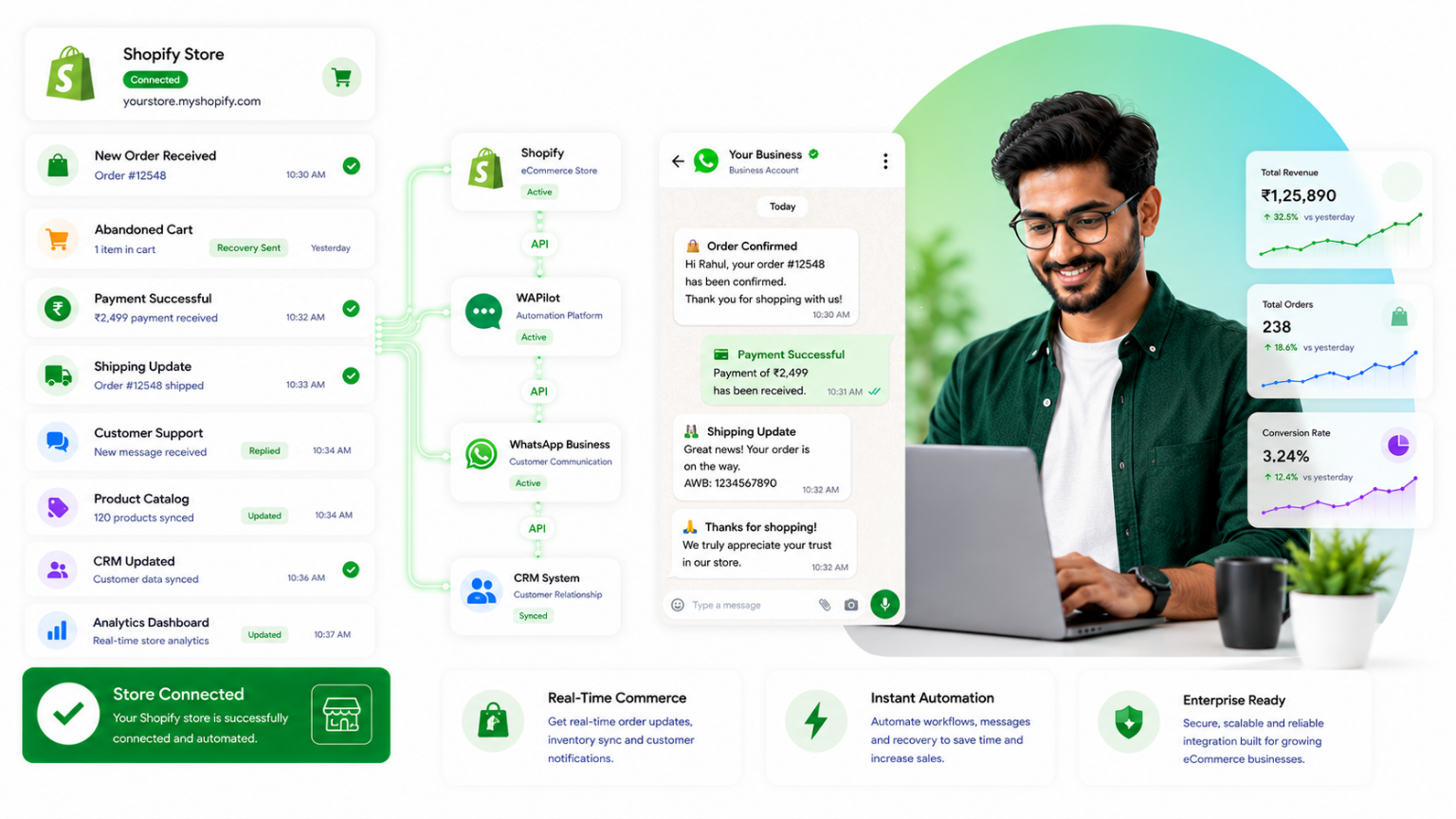
Why Connect Shopify with WhatsApp Business API?
Customers prefer messaging over email. WAPilot makes every stage of the Shopify customer journey faster, more personal, and highly automated—without sending updates manually.
Instant order confirmations
Shipping and delivery updates
Payment and COD reminders
Abandoned cart recovery
Broadcast campaigns
AI-powered customer support
Product catalog sharing
Shared team inbox
CRM integration
How WhatsApp Shopify Integration Works
Shopify events flow securely through WAPilot and trigger approved WhatsApp messages while replies return to one shared team inbox.
Customer visits your Shopify store
Customer places an order
Shopify sends the order event
WAPilot receives the webhook
WhatsApp Business API sends the automated message
Customer replies on WhatsApp
Conversation appears in the WAPilot shared inbox
Your support team manages the customer
Step-by-Step Shopify Integration Guide
Connect your store and launch production-ready customer automations without building a custom messaging stack.
Create Your WAPilot Account
Sign up, verify your email, and create the workspace that will manage your Shopify communication.
Connect WhatsApp Business API
Link your official business number and complete the Meta verification process.
Connect Your Shopify Store
Open Integrations, choose Shopify, authenticate securely, and select the store you want to automate.
Enable Shopify Webhooks
Choose which commerce events WAPilot should receive in real time.
Create WhatsApp Templates
Prepare approved templates for the transactional and marketing messages you plan to send.
Create Your Automation Flow
Connect Shopify triggers to WhatsApp actions, delays, conditions, and post-purchase follow-ups.
Test and Go Live
Place a test purchase, confirm the WhatsApp messages, reply as a customer, and verify the shared inbox handoff.
Shopify Events Supported by WAPilot
Map core Shopify commerce events to the WhatsApp communication your customers expect.
WhatsApp Automations You Can Build
Create connected journeys across acquisition, checkout, fulfillment, support, and retention.
Order Confirmation
Shipping Notifications
COD Confirmation
Review Request
Abandoned Cart Recovery
Coupon Campaigns
Customer Support
Product Recommendations
Broadcast Marketing
Catalog Sharing
Appointment Booking
AI Chatbot
Benefits of Connecting Shopify with WhatsApp
Make commerce communication immediate, measurable, and easier for both customers and your team.
Higher customer engagement
Faster customer support
More repeat purchases
Better abandoned cart recovery
Increased conversion rate
Personalized communication
Real-time order tracking
Centralized customer management
Multi-agent support
Secure Meta Cloud API
Frequently Asked Questions
Common questions about the Shopify integration
Yes. WAPilot securely connects your Shopify store with the official WhatsApp Business API, so you can automate communication without complex custom development.
Yes. You can automatically send personalized WhatsApp reminders to opted-in customers who leave products in their cart.
Absolutely. WAPilot can send order, payment, shipping, and delivery updates using approved WhatsApp templates.
Yes. The shared team inbox lets multiple agents manage customer conversations with clear ownership and full context.
No. WAPilot provides a no-code setup for connecting Shopify events to WhatsApp automations.
Yes. You can send compliant, targeted campaigns for promotions, product launches, and seasonal offers to opted-in contacts.
Start Automating Your Shopify Store
Send instant order updates, recover abandoned carts, provide real-time support, and grow your store with the official WhatsApp Business API.